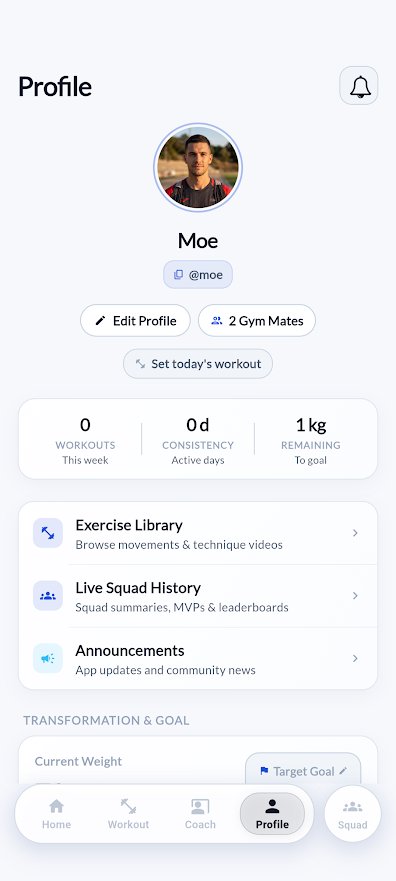
STEP 01
Navigate to Profile & Tap Edit Profile
Open the Profile tab in the FitU app and tap Edit Profile.
Account Control & Data Safety
Official account deletion guide for FitU Workout Tracker & Gym Log (FitU), published on Google Play by Amr Khaled Ibrahim Elsayed Saleh. Follow the four steps below inside the app to permanently delete your account, profile, meals, workouts, plans, and shared items.

Open the Profile tab in the FitU app and tap Edit Profile.
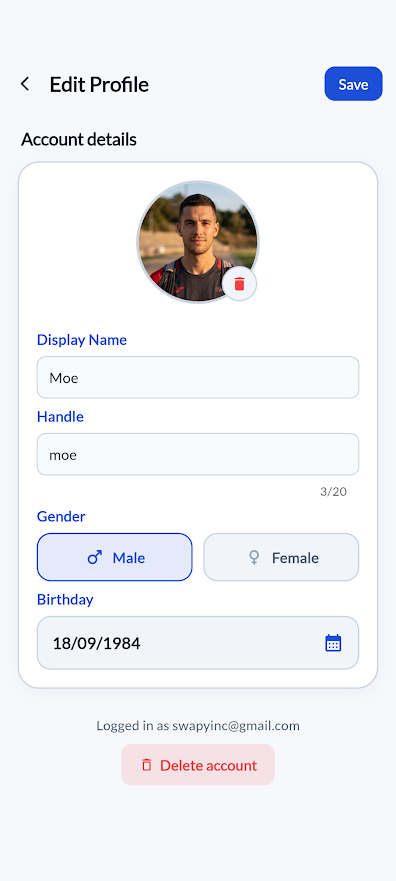
Scroll to the bottom of Edit Profile and tap Delete account.
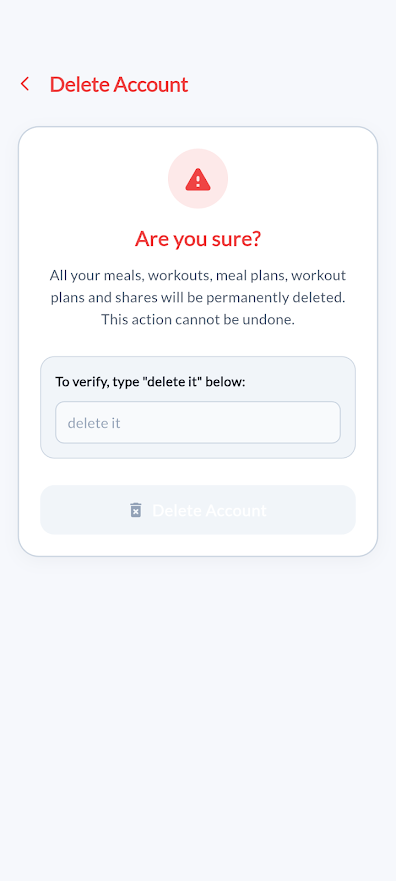
The Delete Account screen will appear warning that all meals, workouts, plans, and shares will be permanently deleted.
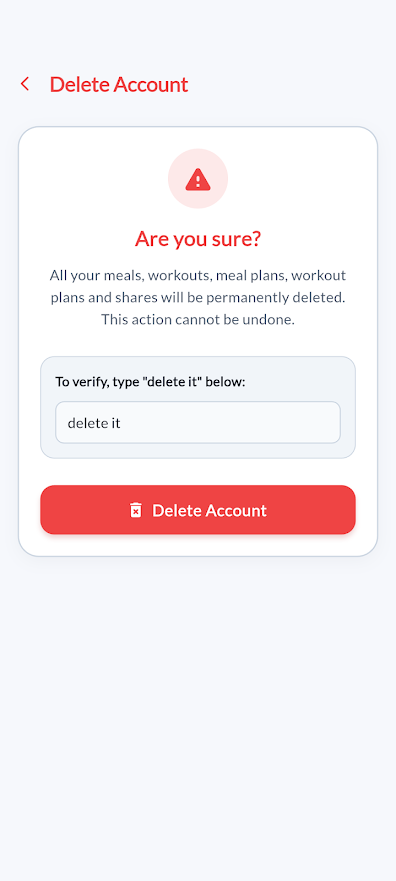
Type delete it into the verification field and tap the red Delete Account
button to permanently erase your FitU account and data.